
I. Introduction: From Echoey Mess to Studio-Quality Sound
I used to cringe when I listened back to my recordings—muffled voice, echoey background, and background noises that screamed, “I’m working from my kitchen!” As a freelancer who records client calls, podcasts, and course content, I knew something had to change.
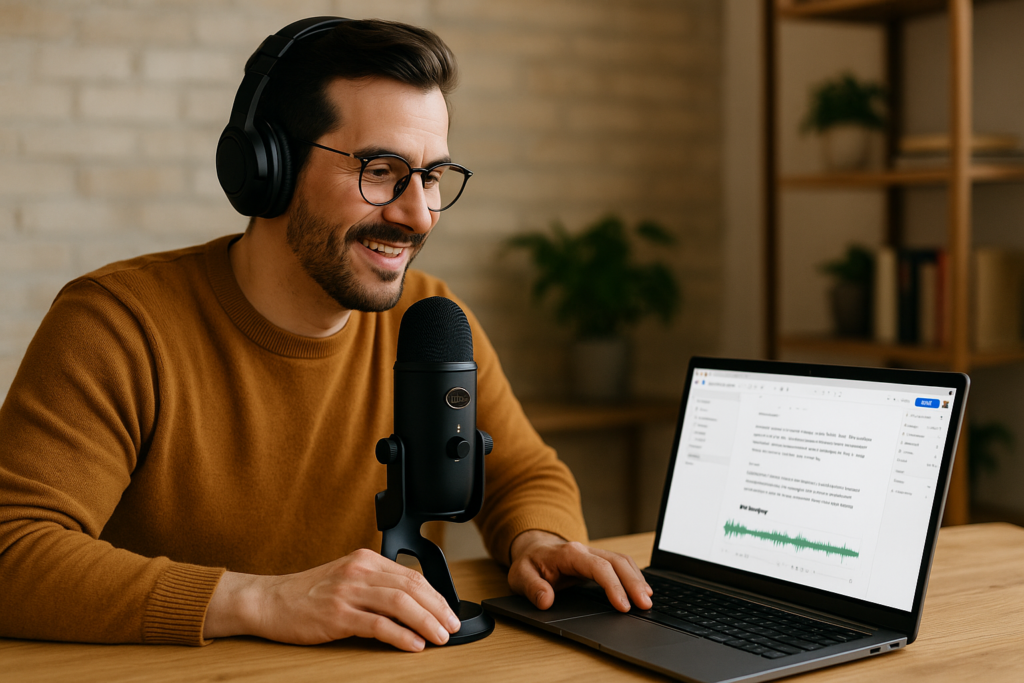
That’s when I stumbled upon a surprisingly simple combination: the Blue Yeti microphone and Descript. With just these two tools, I transformed my amateur setup into a studio-quality workflow that my clients now rave about.
And guess what? It didn’t cost me a fortune or require any technical know-how.
In this post, I’ll walk you through exactly what I use, how I set it up, and how you can replicate this high-quality audio setup from anywhere. I’ve also included affiliate links to the exact products I use—because they genuinely made my life easier, and I think they’ll do the same for you.
II. The Mic That Changed Everything: Blue Yeti
After trying a few low-budget microphones that made me sound like I was underwater, I finally invested in the Blue Yeti USB microphone. It was a game-changer.
Why Blue Yeti?
- Plug-and-play via USB—no complicated interfaces
- Studio-quality sound with multiple pickup patterns (great for solo and group recordings)
- Built-in headphone jack for real-time monitoring
- Durable, sleek, and affordable
Here are the exact mics I’ve tested and recommend:
- Blue Yeti X Professional USB Microphone (Renewed) – Amazon
- Logitech Blue Yeticaster Pro Broadcast Bundle – Amazon
- Blue Yeti USB Mic – Silver (Renewed) – Amazon
Pair your mic with a pop filter, boom arm, and shock mount for an even cleaner setup (I’ll share the full kit later).
III. Turning My Bedroom Into a Studio: My Setup
You don’t need a fancy studio—just smart placement and a few tweaks:
- Quiet corner: Choose a space away from windows and loud appliances.
- Mic on a boom arm: Avoid desk vibrations.
- Pop filter: Eliminates harsh plosive sounds.
- Soft furnishings: Pillows, curtains, and rugs help absorb echo.
That’s it. Simple changes, big difference.
IV. Descript: My Secret Editing Superpower
Here’s where the magic happens. Once I started using Descript, I realized how much time I had been wasting.
What Descript Does:
- Auto transcription of your audio in minutes
- Delete filler words (“um,” “uh”) with one click
- Overdub lets you fix mistakes with AI voice cloning
- Multitrack editing that’s drag-and-drop simple
- Screen recording, audiograms, publishing tools—all in one
Try Descript Free – Descript Affiliate Link
V. My Workflow: Record → Edit → Share
Here’s my exact workflow:
- Plug in Blue Yeti, adjust gain and pattern
- Record directly into Descript or upload pre-recorded file
- Let Descript transcribe the audio
- Remove filler words, background noise, and awkward pauses
- Publish/export in audio or video format
- Reuse content for YouTube, podcasts, courses, or client work
It’s fast, intuitive, and saves me HOURS each week.
VI. Real Results: Audio That Gets Compliments
Within a week of switching, clients noticed:
“You sound like you’re in a real studio now!”
“Your voice is so clear—what are you using?”
More than ego boosts, this improved trust, authority, and client retention. I’ve also landed more podcast guest spots and increased YouTube engagement.
VII. Bonus: Monetize Your Voice
With just this setup, you can start earning in new ways:
- Launch a podcast
- Create and sell online courses
- Offer voiceover gigs on Fiverr or Upwork
- Start a YouTube channel
- Add affiliate links to your content (like this post!)
VIII. Recommended Kits (With Affiliate Links)
| Purpose | Mic | Accessories | Editor |
|---|---|---|---|
| Budget Starter | Blue Yeti USB – Silver (Renewed) | Pop filter, Desk Stand | Descript Free Trial |
| Pro Setup | Blue Yeti X | Boom Arm, Shock Mount | Descript Pro Plan |
| Podcast Bundle | Yeticaster Broadcast Bundle | Everything Included | Descript Editor |
IX. Troubleshooting Tips
- Mic too quiet? Adjust gain and get closer to the mic
- Background noise? Use Descript’s studio sound filter
- Popping sounds? Use a pop filter or reposition mic
- Echo? Add soft materials to the room
X. Conclusion: Sound Like a Pro, Work Like a Boss
With just one mic and one tool, I upgraded my entire freelance game. It’s simple, budget-friendly, and incredibly effective.
If you’re serious about creating great content, building a strong personal brand, and saving time—start here:
Ready to sound like a pro from your kitchen table?
Get the Blue Yeti Mic on Amazon
Start Editing Like a Boss with Descript – Free Trial