
In 2025, AI-powered tools are changing the game for freelancers. Whether you’re a content creator, video editor, podcaster, or social media manager, staying competitive means working smarter, not harder. Enter Descript — the all-in-one tool that promises to simplify your entire content workflow. But is it really worth the hype? Especially for freelancers trying to balance quality, speed, and budget?
Let’s find out in this honest, no-fluff review.
What is Descript?
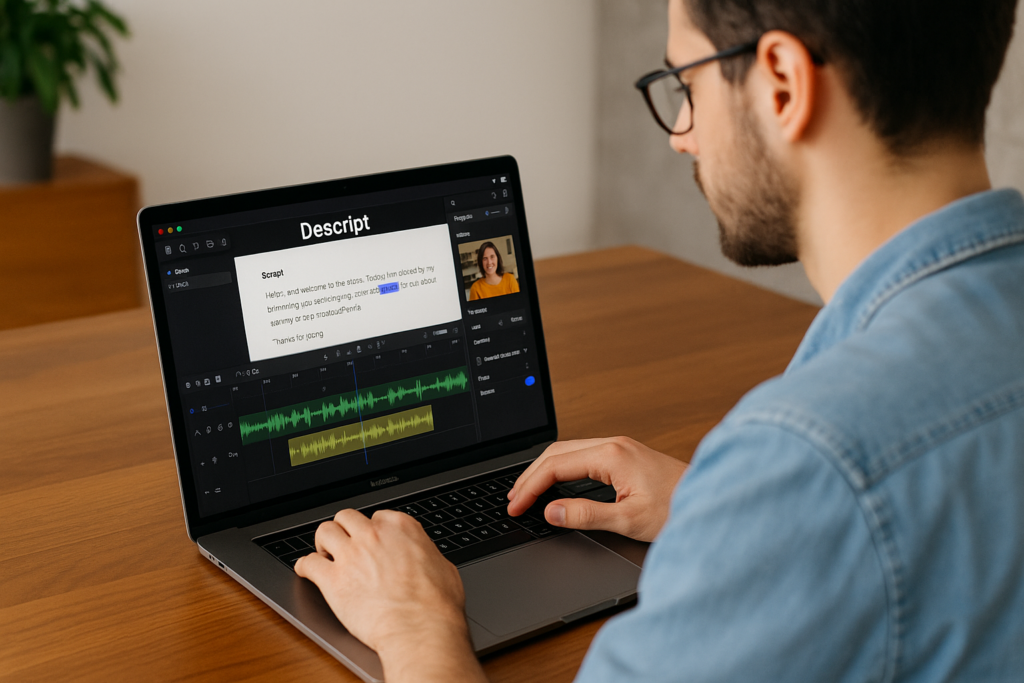
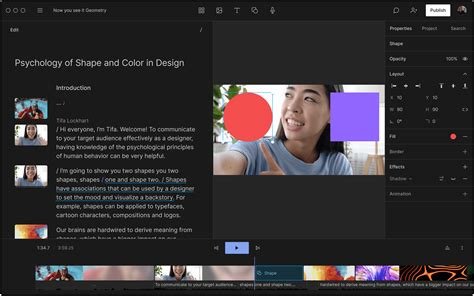
Descript is an AI-powered audio and video editing platform that turns editing into a word processor-like experience. It combines transcription, screen recording, multitrack editing, AI voice cloning, and publishing — all in one place.
Originally built for podcasters, Descript has quickly evolved into a favorite tool for:
- Freelance video editors
- Content writers
- Online educators
- Social media managers
- YouTubers and podcast producers
Sign up for Descript free and get started in minuteshttps://get.descript.com/0hzjuuvmohgt
Key Features Freelancers Love
1. Text-Based Audio and Video Editing
You edit your content by editing text. Cut out “uhs” and “ums” or entire sections by simply deleting the words. No need to scrub through timelines.
2. Automatic Transcription
Descript offers near-instant transcriptions with impressive accuracy. Great for:
- Transcribing interviews
- Turning podcasts into blog posts
- Captioning videos
3. AI Voice Cloning (Overdub)
Fix mistakes in your audio without re-recording. Just type the corrected sentence and Descript uses your cloned voice to fix it. Mind-blowing!
4. Multitrack Editing
Edit multiple audio/video tracks at once. Useful for podcast teams, interviews, or solo creators who want more control.
5. Screen Recording + Editing
Perfect for creating tutorials, course content, or client demos. Capture your screen and webcam together, then edit just like any other video.
6. Filler Word Removal
Automatically detects and removes filler words like “uh,” “um,” and “you know” — huge time saver for freelancers working under deadlines.
7. Templates and Brand Kits
Quickly apply brand presets like logos, fonts, and colors. Great for maintaining consistency across client work.
Pros of Using Descript as a Freelancer
- Time-Saving: No more switching between editing software, transcribers, and screen recording tools.
- Beginner-Friendly: Even if you’ve never edited a video before, Descript’s interface is intuitive.
- All-in-One: Combines several tools into one, reducing your software costs.
- Cloud-Based: Access your projects from anywhere.
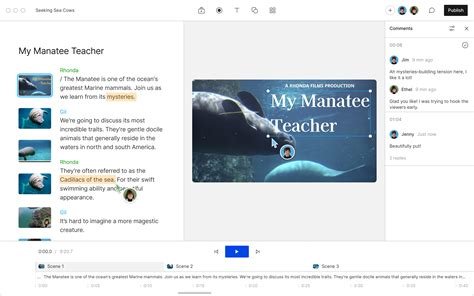
- Collaboration Tools: Share projects with clients or teammates and receive comments directly in the app.
- Frequent Updates: The Descript team constantly improves the platform.
Cons You Should Know
- Internet Required: Since it’s cloud-based, a good internet connection is a must.
- Learning Curve: Some advanced features (like multitrack editing) take time to master.
- Voice Cloning Accuracy: While cool, AI voice cloning isn’t perfect — it might sound robotic sometimes.
- Limited Export Formats: A few users wish for more export flexibility.
Descript Pricing: Freelancer-Friendly?
Descript offers a free plan, which is a great way to test it out. But serious freelancers should consider the Creator or Pro plans:
- Free: Limited transcription and screen recording.
- Creator ($15/month): Includes transcription, editing, screen recording, and watermark-free exports.
- Pro ($30/month): Adds Overdub, filler word removal, and higher transcription hours.
✅ Tip: If you’re serious about content creation, the Pro plan pays for itself quickly by saving you editing time.
Real-World Use Cases for Freelancers
1. Podcast Editing
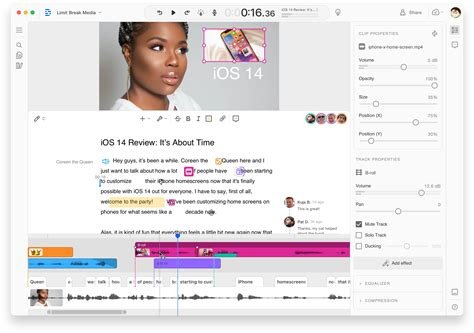
Edit your podcast just by editing the transcript. Add music, cut segments, and publish directly.
2. YouTube Videos
Script, record, and edit your YouTube content in one app. Add subtitles, remove pauses, and upload to YouTube instantly.
3. Client Work
Create social media videos, branded tutorials, or content summaries for clients with quick turnaround.
4. Online Courses
Record lessons, edit them like documents, and export clean, professional videos.
5. Repurposing Content
Turn long interviews or webinars into blogs, audiograms, reels, or shorts.
How Descript Compares to Other Tools
| Feature | Descript | Adobe Premiere Pro | Audacity |
|---|---|---|---|
| Text-Based Editing | Yes | No | No |
| Transcription | Yes (auto) | No | No |
| Screen Recording | Yes | No | No |
| AI Voice Cloning | Yes | No | No |
| Beginner-Friendly | Very | Steep learning curve | Moderate |
Final Verdict: Is Descript Worth It for Freelancers?
Yes — 100%.
If you create, edit, or repurpose content as part of your freelance business, Descript can be a game changer. It’s affordable, beginner-friendly, and constantly evolving.
While no tool is perfect, Descript comes incredibly close to offering everything a modern freelancer needs to stand out and deliver fast, professional results.
And if you’re tired of juggling 5 different tools for video, transcription, and editing — this might be your new best friend.
👉 Ready to Try Descript?
You can start with the free plan and see how it fits into your workflow.
[👉 My Descript Affiliate Link (No Extra Cost to You – Helps the Site!) https://get.descript.com/0hzjuuvmohgt
If you end up loving it (and most people do), upgrading to the Creator or Pro plan is an easy next step. And yes, if you use our link, we may earn a small commission — at no extra cost to you. It helps keep this site running. 🙌
Got Questions About Descript?
Drop them in the comments or shoot me an email. I’ve been using Descript for client work, my own content, and teaching others how to streamline their process with AI tools — happy to help!